
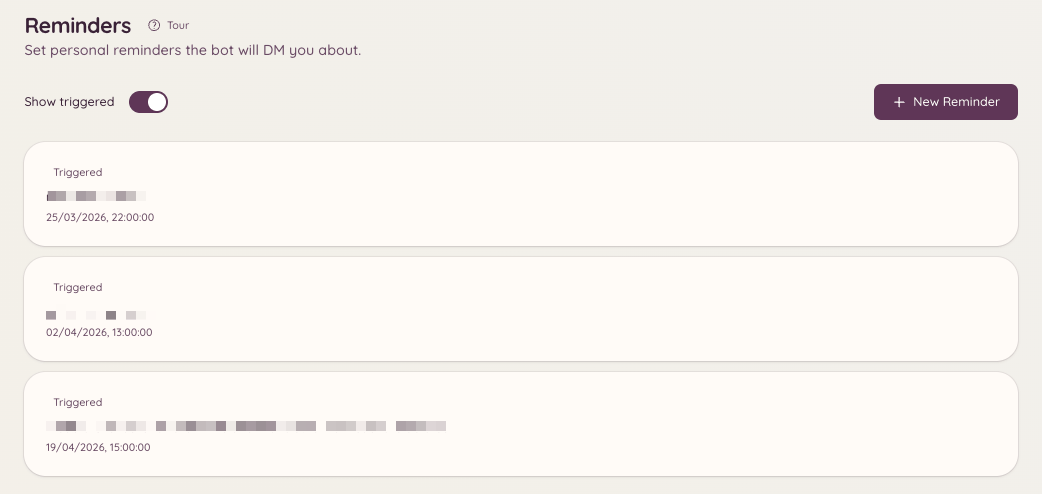
The reminders plugin lets members set reminders for themselves. At the scheduled time, the bot delivers the reminder by DM or posts it in the channel where the reminder was set. Reminders can optionally include context - for example, a link to a ticket or modmail thread - so the reminder arrives with enough information to be actionable.
Community Reminders

Setting a reminder

Running /reminder opens an interactive panel. From the panel you can:
  • Write a description of what you need to remember
  • Set when you want to be reminded (a specific time, or a duration from now such as in 2 hours or tomorrow at 9am)
  • Choose whether the reminder is delivered by DM or posted in the current channel
The bot confirms the reminder with a message showing the content and the scheduled delivery time.

Managing your reminders

Opens a panel listing all of your active upcoming reminders. From this panel you can:
  • View the full content of each reminder
  • Delete reminders you no longer need
  • Edit the time or description of a pending reminder
If you can open the dashboard, the page shows the same list, only ever your own reminders, and lets you add, edit, or delete them there too.

Ticket and modmail context

When you run /reminder inside an active ticket or modmail thread, the bot automatically attaches a link to that thread to the reminder. When the reminder fires, it includes a jump link so you can return directly to the conversation.

Reminder delivery

Reminders are delivered at the scheduled time regardless of whether you are online. If the bot cannot deliver a DM (for example, because you have DMs from server members disabled), it will attempt to post the reminder in the channel where it was originally set instead.

Required permissions