
Games available
Board games
2048, Connect Four, Memory, Tic-Tac-Toe, Battleship, Solitaire
Casino games
Blackjack, Coinflip, Dice, Higher-Lower, Horse Racing, Mines, Roulette
Economy
Balance, daily coins, tipping, leaderboard, and claim rewards
Enabling games
Navigate to in the dashboard. Games are enabled by default for all members once the plugin is active.Access control
You can restrict which channels and roles have access to games:- Channels - Navigate to and specify the channels where games are allowed. If no channels are configured, games work everywhere.
- Roles - Navigate to to restrict game commands to specific roles.
Economy configuration
Navigate to to configure:Visibility settings
Individual games can be hidden from the command list without being disabled. Navigate to to toggle which games appear to members.Player stats
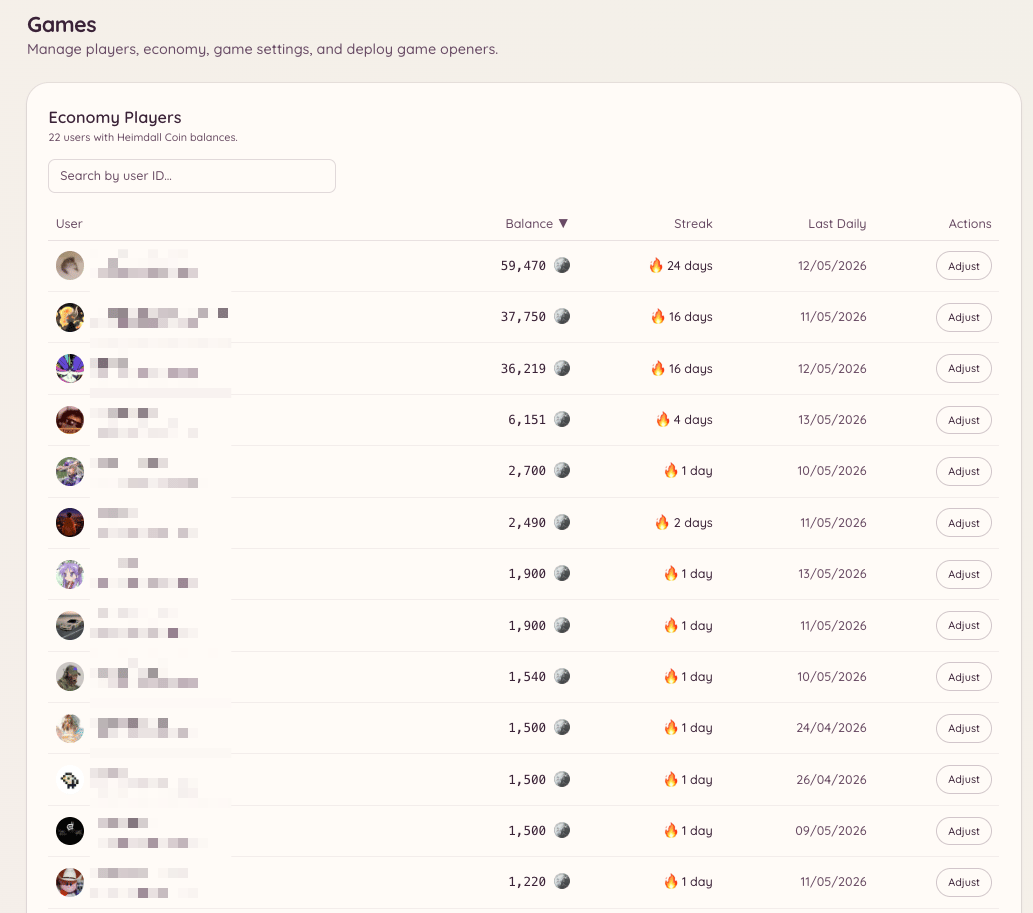
Navigate to in the dashboard to view all members who have interacted with the games system. For each player you can see their current balance, total games played, win/loss record across each game type, and the last time they were active. Staff with thegames.manage permission can adjust a player’s balance, reset their statistics, or remove them from the leaderboard from this page.
Transactions
Navigate to to view the full ledger of economy transactions across your server. Each entry records:
Filter by player, transaction type, or date range. The transaction log is read-only.
Analytics
Navigate to for aggregate statistics across your server’s games:- Most played games by session count
- Total coins in circulation
- Daily active players over time
- Top earners and top spenders
Trivia questions
If the trivia game is enabled, navigate to to manage the question bank. You can:- Add custom trivia questions with multiple-choice answers
- Import a batch of questions from a CSV file
- Edit or delete existing questions
- Enable or disable individual questions without deleting them
Vote rewards
Navigate to to configure economy rewards for members who vote for your server on top.gg. When a member votes, Heimdall receives a webhook notification from top.gg and automatically credits the configured coin reward to their balance. To set up vote rewards:- Enter your top.gg server URL in the configuration
- Copy the webhook URL provided and paste it into your top.gg server listing’s webhook settings
- Set the reward amount (coins per vote)
- Optionally configure a bonus multiplier for weekend votes