
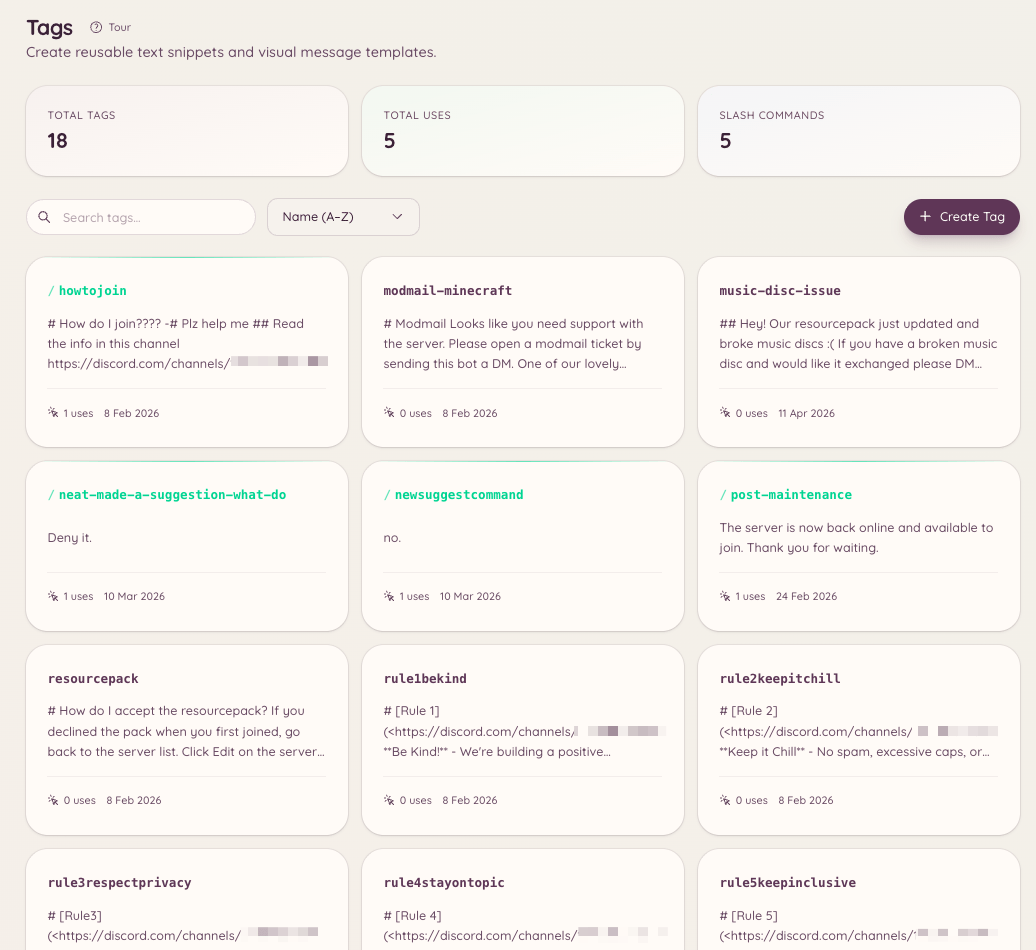
Tags are reusable pieces of content - a block of text, an embed, or a formatted message - that can be posted to any channel with a single command. They are particularly useful for staff who frequently answer the same questions, share the same resources, or post formatted announcements. Tags save the content once and let anyone with access deploy it instantly.
Community Tags

Using a tag

Posts the tag’s content to the current channel. Tag names support autocomplete - begin typing and the bot suggests matching tags.

Creating a tag

Opens a modal where you write the tag’s content. The content supports Discord markdown. If you want to create a rich embed tag, use in the dashboard instead, where you have a visual embed builder. To create a tag via the dashboard, navigate to and click New Tag. The dashboard editor supports:
  • Plain text content
  • Embed with title, description, fields, colour, and thumbnail
  • Attachment file upload

Editing and deleting

Editing opens the same modal used for creation. Deleting removes the tag permanently.

Listing tags

Lists all tags available on your server. The dashboard page provides the same list with search and filter options.

Posts

Posts are similar to tags but are intended for longer-form content pinned to specific channels. Scheduled posts are managed in the dashboard under , in Scheduled posts. The /post command works alongside /tag:
A post sends the content to a designated channel rather than the channel where the command is run. Use posts for things like weekly announcements or pinned resources that need to go to a specific place regardless of where the command is triggered.

Templates

Templates are skeleton embeds saved in the dashboard that staff can use as a starting point when creating new tags. They live under , in Reusable templates.

Required permissions