
Dashboard navigation
The Minecraft feature has seven pages in the dashboard sidebar:Account linking
A link ties one Minecraft name to one Discord account. Members start one from Discord and prove it is theirs with a 6-digit code shown in game.The account-linking panel
The panel is a Discord message with Link Account, Unlink Account and My Account buttons. Post it in any of these ways:- The last step of Minecraft setup offers to post it.
- , on the Account linking panel: Post sends it to a channel you pick. Posting into the channel it is already in updates that message; posting somewhere else adds a copy there and leaves the others where they are (see Panels posted in more than one channel). You can also rewrite the panel’s text there and keep its buttons.
/minecraft-setup panelfrom Discord.
Getting the code
After a member enters their Minecraft name, the code reaches them in game:- A server that requires a whitelist refuses their join and shows the code on the disconnect screen.
- A network set to let anyone join (see below) lets them in. With Heimdall plugin 3.0.0-rc.19 or newer, the code is shown as soon as they join, and straight away if they are already online. On Paper 1.21.7 or newer, with a 1.21.6 or newer client, it opens as a dialog with a Copy code button; everywhere else, including Bedrock players, it is a chat message you can click to copy. The prompt names the Discord account that asked, and warns the player never to give the code to anyone.
- Any server also gives the code on request: the player runs /linkdiscord in game.
On a network that lets anyone join, /linkdiscord needs plugin 3.0.0-rc.13 or newer. Older builds treat it as the whitelist module’s command and only echo it back. Update the plugin with /hd update in game or from its download page.
Letting anyone join
Each network’s policy, on its page under , has Anyone can join, linking is optional. With it on, nobody is turned away, the whitelist is switched off on that network’s servers, and players who want their Discord roles in game link as above. The rest of the network policy takes effect again when you turn it off. Once linked, Heimdall can:- Whitelist the member, automatically or after staff approval, depending on the network’s policy
- Remove them from the whitelist if they lose access
- Sync their Discord roles to groups in game ()
- Display their Minecraft username alongside their Discord profile in the customer portal
Linked role
Heimdall can give every member who has linked a Minecraft account a Discord role, for example to open a channel only for players. Turn it on in , under Who can link, and how, and pick the role.- The role is given as soon as the link is confirmed, whether or not the player is whitelisted yet. It works the same with the whitelist on or with linking only.
- It comes off when the member unlinks their last Minecraft account, or when staff delete the player for good.
- Take it away from blocked players (on by default) also removes the role while a player is blocked, revoked or removed by staff, and gives it back when they are unblocked.
- Members who linked before you turned it on get the role when you save. Changing the role moves everyone from the old role to the new one.
- Heimdall only takes the role back from members it gave it to, so anyone you gave it to by hand keeps it.
Whitelist management
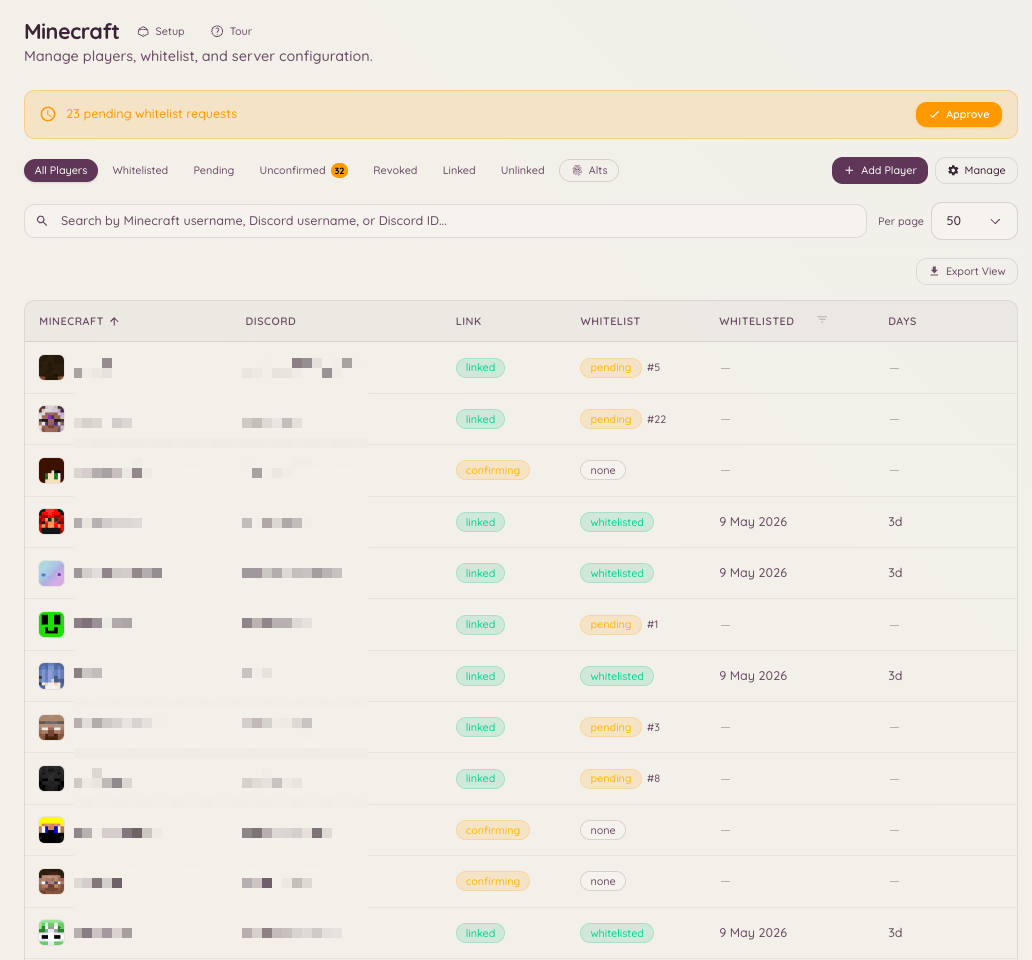
Navigate to in the dashboard to view the full whitelist status - who is linked, who is pending verification, and who has been manually approved or denied.Automatic whitelisting and approval
Each network’s policy, under , decides what a link grants: Auto-whitelist whitelists a linked member on that network without review, and Require staff approval holds requests in a queue on the page for a decision. The whitelist is pushed to your servers by the Heimdall plugin, not through RCON. How members link, how many accounts each may hold, and how long a code stays valid are under .Server status
Player list
/playerlist is opt-in and off by default: it registers no command, and costs no command slot, until an admin turns on Player list command in . The command itself has no server option. The dashboard fixes what it lists when you turn it on: one claimed server, or, for a guild running more than one network, a whole network, grouped by which server each player is on. Members never pick a target themselves; they only see the one the dashboard was set to.
The reply is visible only to whoever ran the command, unless they add public:true, which posts the list in the channel instead. It is a one-shot reply and never updates itself. For a live card that keeps refreshing, use /mcstatus watch instead.
Vanished players
Connected servers running Minecraft plugin3.0.0-rc.13 or newer report which of their online players are vanished, recognising the vanished metadata key set by EssentialsX, SuperVanish, PremiumVanish, CMI and VanishNoPacket. Heimdall hides a vanished player’s name from anyone who does not hold minecraft.server.view_vanished, everywhere a name is shown: /playerlist, /mcstatus get, and the Online players panel on each server in .
Player counts on the dashboard, the Players tile in , its sparkline, and the overview, always show the visible count, for everyone, so they stay in step with the live updates. Someone who holds minecraft.server.view_vanished additionally sees a “+N vanished” chip beside the Players tile, and a Vanished badge on those rows in the Online Players panel. /mcstatus get works differently: a holder still gets the full list there, with (vanished) marks, and a count that includes them.
Public surfaces always hide vanished players, no matter who is looking: a watched status card, /mcstatus send, and /playerlist public:true never show them, even to the person who ran the command. Someone who does hold the permission still sees them in their own private reply, each one marked (vanished) so it is clear who their colleagues in the channel cannot see.
A backend running an older plugin build, or no plugin at all, cannot report vanish state, so its vanished players are listed like anyone else. On a network, if a holder runs /playerlist and at least one backend cannot report vanish, a one-line footnote warns that someone hidden may still be listed. There is nothing to configure for this: it is a limit of what that server can tell Heimdall, not a setting.
Chat bridge
The chat bridge relays in-game chat into Discord channels, and Discord messages back into the game. Set it up on by adding a mapping: pick a Discord channel, which servers it talks to (one server, a network, or all servers), and which way messages travel. Each mapping also chooses whether chat, joins, leaves and deaths are relayed. Nothing is stored. Messages are relayed and then discarded, on both the bot and the Minecraft server.ChatControl channels
If your servers run ChatControl with channels turned on, each mapping has a ChatControl channels section listing the channels your servers report. Only chat said in the channels you tick is relayed to that Discord channel, so staff and admin channels stay out of Discord unless you pick them.- Picking a channel is required. ChatControl has no default channel, so a mapping with no channels picked relays no chat from a server where ChatControl channels are on. The mapping shows a warning until you pick one.
- One Discord channel per audience. To relay a staff channel, add a separate mapping for a staff-only Discord channel and pick only the staff channel there.
- Discord to Minecraft goes into the first picked channel. Messages sent in the Discord channel are shown only to players in that ChatControl channel, so replies in a staff Discord channel stay in the staff channel in game.
- Servers without channels are unaffected. A server without ChatControl, or with its channels turned off, relays chat exactly as before, to mappings with no channels picked.
Channel filtering needs a Heimdall plugin build with ChatControl support on each server. An older build cannot tell channels apart and relays every channel, and Discord messages for a channel mapping are not sent to it at all. A proxy cannot tell channels apart either, so while any server reports ChatControl channels, chat relayed by a proxy is dropped. Let your backend servers relay their own chat.
RCON
RCON lets you run commands on the Minecraft server directly from Discord. Configure the connection in with your server’s RCON host, port, and password. RCON access is limited to members with the appropriate Heimdall permission.Minecraft server setup
Servers are added under : add a server, install the Heimdall plugin on it, and claim it with the code the dashboard gives you. The setup walks through each step and ends by offering to post the account-linking panel. Guild-wide settings are under :Rules
is where you define what counts as an offense on your Minecraft server and how repeat offenses escalate. Each rule is an offense type - griefing, chat spam, and so on - with a tier ladder: the first breach might warn, a later one might kick, and a further one might hand off to your ban plugin or to native punishments, depending on your punishment mode under Enforcement. Staff log a breach in game with the offend command, choosing the offense type; Heimdall looks up which tier the player is on and runs the command configured for that tier.History
is one timeline of everything that has happened to a player. The offense log that Rules feeds and the native ban, mute, warn and kick log are merged into a single list ordered by time. They used to be two places, and the punishment list was a card at the bottom of the settings page, which is not where anyone looks for a ban. The table shows Kind, Player, Reason, Staff, Length and Status. A punishment that can end on its own is badged Temporary; one that cannot reads Permanent.Filters
Four filters, all of them kept in the URL, so a filtered view can be pasted into a ticket and opened by somebody else.
Kind spans both ledgers: an offense whose tier warned the player is a Warn here, not only an Offense. Other covers the types nobody browses for by name (geo, subnet and freeze). Under Status, Expired or done groups a punishment that ran out with one that was over the moment it landed, such as a kick; they are labelled Expired and Done in the table, because only one of them ever had an end date.
The list pages with a Load more button that appends rows rather than replacing them.
Acting on a row
Revoke lifts a punishment and Pardon lifts an infraction. Both ask for an optional reason and store it, which is the only record of why something was lifted. Revoking needsminecraft.punishments.revoke; pardoning needs minecraft.offenses.pardon_infractions.
Issue punishment
The Issue punishment button in the page header opens a modal:History opens for anyone holding any of the offense view keys or any of the punishment keys, but the feed re-checks both families against you and returns only the halves you hold. Someone with
minecraft.offenses.view_infractions and no punishment key opens History and sees no bans in it.Enforcement
is how Heimdall punishes and what the public sees. It is Heimdall’s native ban, IP-ban, mute, warn and kick engine for connected Minecraft servers. It replaces dispatching a console command to a separate banning plugin with Heimdall enforcing directly, and it keeps a single punishment record that History,/mc-punish, and the in-game commands below all read and write.
Every server has one of three modes, chosen from three cards on - and, for a network that has never had a mode chosen, as a step in the setup wizard:
Switching modes takes effect immediately, so the dashboard asks you to confirm first and spells out what changes - which commands appear or disappear, and who enforces punishments afterward. Every punishment already recorded is kept no matter which mode you switch to or from.
What is on the Enforcement page
- Mode - the Offenses only / Alongside your ban plugin / Heimdall runs bans switch above.
- Enforcement settings - root command aliases (one guild-wide toggle, no per-server override), silent-by-default, the ban for a frozen player who logs out, and the blocked-command list a mute enforces. All guild-level, all saved here, all gated by
minecraft.punishments.manage. - Screens - the MiniMessage segments a punished player reads, the freeze message among them, plus the two announcement templates. See Screens below.
- Minecraft appeal form - pick a Minecraft-specific appeal form to fill in
{appeal_url}on the screens. Use a form separate from the Discord infraction appeal form. - Import existing punishments - Run import asks the connected server to run its LiteBans, AdvancedBan, BanManager and vanilla
banned-players.jsonimporters in a single pass, skipping whichever it does not find. Preview import does the same reading and writes nothing, so you can see what a run would do first. IP addresses are hashed on that server before anything reaches Heimdall. Importing never pushes an enforcement update by itself, so it does not kick a player who happens to be online and never overrides a punishment that is already active for the same target, but a row imported still active is enforced by the normal sync afterward. The card for each run shows what came in, what is still in force, and anything lifted to match LiteBans. - Public bans page - now under ; this card links there. See below.
/minecraft/punishments link still works: it lands on Enforcement, unless it carries one of the old browser’s filters, in which case it lands on History with those filters translated.
Cutover from LiteBans
If you are running LiteBans today, move over in this order. Every server needs Heimdall plugin 3.0.0-rc.22 or newer for the preview and for warns to be shown once.- Alongside your ban plugin. Switch to Alongside your ban plugin. Staff see history in the dashboard while LiteBans keeps enforcing, and every ban, mute or lift LiteBans makes from now on is copied to Heimdall.
- Permissions. Grant the
heimdall.punishments.*nodes to your staff ranks (see In-game commands), andheimdall.adminto whoever runs the import. - Back up the LiteBans database. It is also your way back.
- Preview the import. Press Preview import on the page, or run
hd import --dry-runin the server console (or/hd import --dry-runin game). The preview reads everything a real import would and writes nothing. It reports:- how many bans, IP bans and mutes would still be in force;
- how many rows match something Heimdall already copied while running alongside LiteBans;
- how many Heimdall still enforces although LiteBans has lifted them. The import lifts those to match.
- how many Heimdall holds that LiteBans does not, such as ones issued from Discord. Check these before you switch, because Heimdall enforces them too once it runs bans.
- Run the import. Use Run import, or run
hd importin the server console (hdp importon the proxy). Run it on each server that has its own LiteBans database. A failed batch is named in the result, and running it again carries on from there. - Preview again. It should find nothing new to import and nothing to lift. If it does, run the import again before you go further.
- Switch to Heimdall runs bans during a quiet moment, with staff told to hold off on punishment commands.
- Stop each server and take
LiteBans.jarout. Keep the jar and its database until you are sure, since putting it back and switching to Alongside your ban plugin is the rollback. - Optionally turn on Register root command aliases, so the network’s own
ban,muteand similar commands register as Heimdall’s own commands, rather than only thehd-prefixed ones. This is one guild-wide setting - there is no separate per-server toggle - and the aliases are only registered in Heimdall runs bans mode.
In-game commands
The commands in this section are Minecraft in-game and console commands, run on the connected server, not Discord slash commands. They are not covered by Heimdall’s Discord command reference.
hd-prefixed family on backend servers and an hdp-prefixed family on the proxy:
<player> [reason] and nothing else, while tempban and tempmute require a length. Get a shape wrong and the verb tells you its own, whether you typed the hd spelling or a root alias.
The duration can go anywhere after the player, and so can the flags. The first whole token that is a duration becomes the length, and everything else in any order is the reason, so these are the same ban:
abc5m and 1day-old are reason text, not lengths.
In Heimdall runs bans mode, the Register root command aliases toggle additionally registers the bare command names (ban, mute, kick, and so on) as in-game aliases. That is one guild-wide setting applying to every connected server, with no per-server override, and both spellings behave identically. Leave it off while a banning plugin like LiteBans is still installed, since both plugins would otherwise fight over the same command name; turn it on only after that plugin is removed. These in-game aliases are separate from, and share no code with, Heimdall’s own Discord /ban, /mute and /kick moderation commands.
Tab completion
Tab completion follows the same rule the parser does, so it never suggests a name into the middle of a reason. Flags are not counted when working out which word is the target, so a name still completes after a-s.
Suggestions are capped at 100. An enforcer backend has no address history of its own, so it completes from online players and the punishment store only.
Durations
One grammar, shared by the in-game commands,/mc-punish, and the Issue punishment form on , and pinned by a fixture table both the bot and the plugin test against. Lengths are kept in seconds, so 30s is thirty seconds rather than rounding up to a minute.
A month is always 30 days and a year always 365, on purpose: a ban has to be the same length whichever calendar month it was issued in.
- Case-insensitive.
1D12His1d12h. - Compound, with no spaces inside a token.
1d12h,2h30m,1w2d3h. Parts are summed, so1h1his two hours.2 hoursis two words and neither one is a length. - Whole tokens only. A token is a length or it is not; there is no substring match. This is what lets the in-game parser pick the length out of a free-form command line without eating part of the reason.
- Zero is not a length.
0sis not a duration, so a stray0in a reason cannot quietly issue a zero-second ban. - Ten years is the longest punishment anyone can issue. Every surface a human types a length into agrees on that, so a typo’d
1000dis refused wherever it was typed. Use permanent instead. Imports and offense tiers are not typed in and are bounded separately, and in Alongside your ban plugin mode a LiteBans ban longer than ten years is mirrored as permanent rather than refused, because the ban is already live over there and nobody is present to be told.
perm too, which is a length token even though it resolves to no length.
Permanent is spelled the same way everywhere: perm or permanent, or no length at all. In game that means omitting the token, in the Issue punishment form on it means leaving Length blank, and on /mc-punish it means omitting the duration option. All three accept the word and the blank interchangeably.
Freezes
A freeze holds a player in place while staff check them, for example to look over their screen for a hacked client. Freezes need plugin 3.0.0-rc.26 or later on every server, and work in both Alongside your ban plugin and Heimdall runs bans mode. LiteBans has no freeze, so in hook mode Heimdall enforces freezes itself and leaves everything else to LiteBans. In Offenses only the plugin enforces no freeze, so the dashboard and/mc-punish refuse to issue one.
Issue one with /hd freeze <player> [reason] in game, /mc-punish freeze in Discord, or Freeze in the Issue punishment form. Lift it with /hd unfreeze <player>, /mc-punish unfreeze, or Revoke on the row in History. A freeze has no length: it lasts until someone lifts it. Nobody can freeze themselves.
With root aliases on in Heimdall runs bans mode, /freeze and /unfreeze work in game too.
What a frozen player gets:
- The freeze message, when the freeze lands, when they join while frozen, and every 15 seconds after that. It is the Freeze message segment under Screens, and tells them not to log out.
- No moving, building, breaking, item use, dropping or picking up items, and no fighting. That includes ender pearls, chorus fruit, eating and drinking, throwing things, and getting into a boat, minecart or mount. They cannot be hurt either. Staff can still teleport them.
- Chat goes to staff only. What they type is shown to them and to staff on the same server as
[Frozen] Steve: ..., as plain text, and to nobody else. It is not stored, and never sent to Heimdall or to Discord. - Commands are blocked. Every command, not just the blocked-command list a mute uses.
heimdall.punishments.freeze or heimdall.admin. A hidden freeze narrows that to holders of heimdall.punishments.hidden, and its lines are prefixed (hidden).
The permission. heimdall.punishments.freeze alone lets someone freeze and unfreeze; it does not also need heimdall.admin. On Bukkit it defaults to operators. On Velocity and BungeeCord grant it through your permission plugin. Note that /hd rollback <player>, which needs heimdall.punishments.unban, lifts the player’s latest active punishment, and that can be a freeze.
Announcements. A freeze is never announced to the server. Staff holding heimdall.punishments.notify see it, the same way they see a silent punishment.
Logging out while frozen. Staff who can freeze are told straight away: [Heimdall] Steve logged out while frozen. On the page, Ban frozen players who log out goes one step further: if the player is not back within 30 seconds, they are banned for the length you pick (permanent by default), with the reason “Logged out while frozen”. The 30 seconds absorb a dropped connection and a proxy restart, so a quick reconnect or a proxy restart never bans anyone. If a kick came from a server that crashed or was shutting down, with no fallback server to send them to, the proxy pings that server a few seconds after the kick and again before the ban fires. If either ping goes unanswered, staff are told instead of anyone being banned. Nothing fires if staff unfreeze them first, or if they are already banned or IP banned. The ban is always silent, so the server never hears about it.
Kicked while frozen. The alert says they were kicked instead of logged out. A kick, ban or IP ban issued through Heimdall (/hd kick <player>, /mc-punish kick, the dashboard and so on) does not lead to a logout ban: staff chose to remove them. On a network, if Heimdall takes more than 10 seconds to pass that kick on to the proxy, the ban can still go ahead; unfreezing them stops it. Any other kick still does, because a player can get themselves kicked on purpose to escape a check.
- On a network, the proxy decides this, since a backend sees a server switch as a logout.
- In Heimdall runs bans mode, Heimdall issues the ban and it shows in History as issued by Heimdall.
- In Alongside your ban plugin mode, the ban goes through LiteBans, so LiteBans has to be installed on the proxy (or on the server, if there is no proxy). Without it, staff still get the alert but nobody is banned. If LiteBans cannot be asked whether it already bans them, nobody is banned either, and staff are told to do it by hand. A hidden freeze is never turned into a LiteBans ban, since that ban and its reason would be visible to everyone LiteBans shows bans to.
- On a network with more than one proxy, each proxy only knows about players who log out from it. A player who drops from one proxy and reconnects through another within the 30 seconds is still banned.
/server or a hub command to walk off to another server. Staff can still move them, and if their server goes down the proxy still sends them to a fallback server as usual.
Silent punishments
Every guild has a Silent by default toggle on the page. A public punishment is announced in chat to everyone on the server; a silent one is announced only to staff holding the in-game permission nodeheimdall.punishments.notify, prefixed (silent) so it is obvious which is which.
Staff can depart from the guild default on a single punishment:
- In game, adding
-s(silent) or-p(public) to a punishment command needs the in-game nodeheimdall.punishments.silent. - In Discord or the dashboard, doing the same needs the dashboard permission key
minecraft.punishments.silent(“Override silent punishments”).
heimdall.punishments.notify and heimdall.punishments.silent are declared as op-default children of heimdall.admin, so an admin already holds both. Velocity and BungeeCord have no such descriptor to read, so grant both nodes to your staff ranks through your permission plugin (LuckPerms or similar) before you rely on them there.
In-game permission nodes are heimdall.punishments.<action>, one per action: ban, ipban, mute, warn, kick, unban, unmute, history, and dupeip. Freezing is the exception: heimdall.punishments.freeze covers both freeze and unfreeze, see Freezes. These do not inherit from litebans.* or any other plugin’s nodes, so grant them to your staff ranks before you remove the old plugin, not after, or staff lose access the moment it comes out.
Muted players
A mute is enforced by the backend a player is on. What the muted player sees:- The mute screen once. They see the full mute screen when the mute lands while they are online, or at their first message if they were muted while away. It shows once per mute, on each server, each session.
- A reminder after that. Every message after the first gets one line, by default “You are muted for another 9m 59s.” It is the Mute reminder segment under Screens.
/msg, /tell, /me, /r, /whisper and /w by default).
- An entry blocks that command and anything typed after it, a whole word at a time.
ch sendblocks/ch send hibut not/ch join, andmeblocks/me wavesbut not/menu. - An entry also blocks a plugin’s namespaced form of the command, so
meblocks/minecraft:metoo. - A trailing
*is ignored, sotpa*meanstpa: it blocks/tpabut not/tpaccept.
ch send blocked nothing.
Staff alerts. Staff can be told when a muted player tries to talk. The alert reads [Heimdall] Steve tried to speak while muted, or tried to use a blocked command while muted. Two in-game permission nodes control it:
Both are opt-in. Nobody holds them by default, not even operators, and
heimdall.admin does not include them. Grant them to the staff ranks that should see alerts.
- Where alerts appear: only on the server that refused the message, so on a network with several backends, staff on one backend do not see attempts on another.
- Throttling: each mute raises at most one alert every 30 seconds while the player stays online. The next alert says how many attempts it covers, for example
(4 more since). Rejoining, or a new mute, starts a fresh count. - Hidden mutes: an alert for a hidden mute also needs
heimdall.punishments.hidden, and is prefixed(hidden). - Privacy: what the player said is shown as plain text, so it cannot put formatting or links into staff chat. It is never stored, and never sent to Heimdall or to Discord.
Screens
Screens are what a punished player reads. They are MiniMessage templates edited on the page, not in any file on the server, and they ship with a Bifrost-branded default rather than a blank box. There are eleven segments:
Each segment is capped at 4000 characters.
Tokens
Values are escaped before the template is parsed, so a reason cannot inject formatting.
A token used where it means nothing is refused when you save, rather than accepted and rendered as nothing.
{base} in an announcement and {verb} on a ban screen are both rejected with a message naming the tokens that are available there.
Optional segments
Text wrapped in[ ... ] is dropped whenever any token inside it resolves empty, and a line left blank by that is removed entirely. This is what keeps the defaults short: a permanent ban loses its Length line, a guild with no appeal form loses its Appeal line, and an announcement with no reason loses its “for” clause, without needing a separate template for every combination.
To print a literal bracket, escape it as \[ or \].
The ID line is wrapped this way too. A punishment issued while the bot was unreachable only has a local id that no appeal can be opened with, so the row disappears for the length of the outage and comes back with the real id once it syncs.
Permanent variants
The ban and mute screens each have an optional permanent variant, and both are blank by default. Blank means “reuse the temporary screen”, which works because{type} already reads “Permanent ban” and the Length line drops itself.
Write one only if a permanent ban wants a different layout, not just different wording. A variant you write replaces the temporary screen completely, so start it with {base} if you want the header back.
Reset to default
Each segment has its own Reset to default button, and the permanent variants have Clear instead, since blank is their normal state. Reset does not paste today’s default text into your guild’s settings; it clears the value, so the segment tracks the shipped default and picks up any future improvement to it. A segment you have written stays exactly as you wrote it.Legacy colour codes are refused
Screens are MiniMessage. A section sign (§) is refused when you save, because the plugin hands the template to MiniMessage’s parser, which does not know what a section sign is, and the player would get the codes printed at them as tag soup. Use tags instead: <red>, <bold>, <gradient:#a:#b>.
Customising the base header
The default base opens with your Discord server’s name in the Bifrost gradient. To put your network’s own wordmark there instead, edit just that first line and leave the rest:{base} picks the change up, so this is the one place to edit for branding.
Clients older than 1.16 cannot render a hex gradient. Adventure maps each colour to the nearest of the sixteen legacy colours, so the header becomes light purple and the dividers grey. Readable, less pretty, and nothing to configure.
Announcements
The two announcement templates are the chat lines your server sees when a punishment is issued or lifted. They use the same tokens and the same optional-segment rule as the screens, plus{verb}.
{verb} is chosen by the punishment type and by whether it has an expiry: “banned”, “temporarily banned”, “muted”, “unbanned”, and so on. Because the reason and duration clauses are optional segments, a permanent ban with no reason reads “Adam banned Steve” and nothing dangles.
Three things are not configurable here, on purpose:
- The
(silent)prefix. A silent punishment produces the same sentence with(silent)in front, shown only to holders ofheimdall.punishments.notify. It is prepended by the plugin and cannot be removed from a template, because a template that could drop it would be a way to announce a silent punishment loudly. Staff always learn that an action happened; what silence buys is that the server at large does not. - What an announcement never contains. No address, no digest, no UUID. An IP ban announces as “IP-banned”. The line is always a single line: a newline in a reason is folded to a space.
- Which types announce at all. Geo and subnet bans name no player, so they produce no line, and neither does a punishment whose target name is not known. A freeze is always announced as silent, so only staff holding
heimdall.punishments.notifysee “Adam froze Steve”.
-s is for, and that is a per-punishment decision. An empty template can only come from you clearing the box, because the bot sends its default whenever the value is unset and the plugin falls back to the same default whenever the bot sends nothing at all.
/mc-punish
/mc-punish is Heimdall’s Discord-side surface for punishments. It is only registered in servers where punishments mode is Alongside your ban plugin or Heimdall runs bans, so an Offenses only server pays no command slot for it. Its ban, ipban, mute and warn subcommands each take an optional silent flag, gated the same way as the in-game -s/-p flags described under Silent punishments above.
The
duration option appears on ban, ipban and mute only, and takes the grammar above. Omit it for a permanent punishment, or say perm; both mean the same thing here.
Public bans page
The public bans page lives in Cases now, at , and can list Discord bans beside Minecraft ones. Your existing link and who could see what carried over unchanged when it moved. Who sees what is set in tiers (Public, Signed in, Members and role tiers), with Minecraft bans, IP bans and mutes, reasons, staff names and expired entries ticked per tier. The page lives at/<nanoId> on your bans site host, a random id for the server rather than its Discord id. A visitor who needs to sign in does so with Discord through the main dashboard; the bans site itself never runs its own Discord sign-in. A punishment staff revoked early is never listed.
Each active Minecraft row carries its case number and an Appeal link that names that case, so the appeal lands on the right one.
The page never shows an IP address or a hashed digest, on the public view or the signed-in one.
Player page and alt list
The Minecraft player page (, then a player) shows a combined timeline of that player’s punishments and offense-ladder infractions, with the length and a temporary or permanent badge on each punishment. A “Shares an address with” card lists other accounts that connected from the same address as this player, without ever showing that address. It needsminecraft.trace.view_trace, not the punishments keys, because it exists to surface alt associations. It merges two sources: punishment records whose hashed address digest matches (labelled “From punishment records”), and a live query to the connected servers’ own address history (labelled “Seen on your servers”). Only a gatekeeper proxy or a standalone server keeps that address history, so a backend server sitting behind a proxy cannot answer it, and the card names the gap rather than showing an empty list: it can say no proxy or standalone server could be asked, that no server which answered has ever seen this player, or, once both sources have genuinely come back empty, that no other account shares an address with this player. Each source is capped at 50 accounts, noted when a source is truncated. Names shown are whatever a server last saw for that account and can be stale, so every row links by the account’s UUID, never by name.
Heimdall never displays an IP address, on the player page in , the bans page, or anywhere else in the dashboard. On its own database it stores an HMAC digest of each IP using a per-guild salt it holds, which is enough to match two connections to the same address but is not shown anywhere in the UI. That digest is not a cryptographic privacy boundary against someone with database and salt access, only against what the UI displays. A shared address is not proof of a shared owner.