
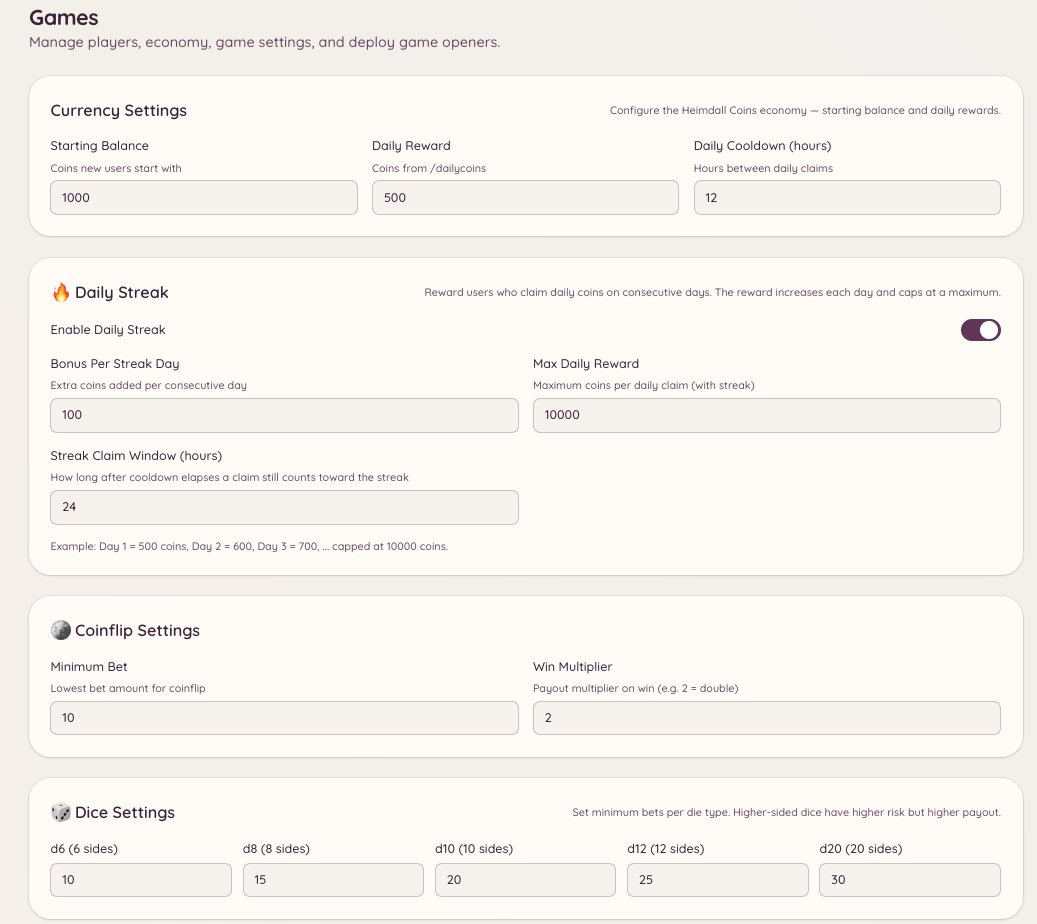
The economy system gives your server a virtual currency that members earn and spend through games and daily claims. The currency is server-specific - balances do not carry across servers.
Games Economy

Checking your balance

Displays your current coin balance. If you specify a user, it shows that member’s balance instead (subject to whether they have made their balance visible).

Daily claim

Claims your daily coin allocation. Members can run this once per cooldown period (24 hours by default). The amount awarded is set in . Administrators can also create additional claim commands with custom amounts and cooldowns using the /economy claim configuration.

Tipping other members

Transfers coins from your balance to another member. The tip is immediate and cannot be reversed. Use this to reward helpful members, pay for services within the game economy, or share winnings.

Leaderboard

Displays the top coin holders on your server ranked by balance. The leaderboard is server-specific. Administrators can also view the full leaderboard in the dashboard under , which includes more detail than the in-Discord version.

Claim rewards

The /economy claim command allows administrators to set up one-time or recurring claim events. Members run the command to receive a reward defined by the administrator. Configure claim events in .

Managing member balances

Administrators can view and adjust individual member balances through the dashboard at . Select a member and use the balance adjustment tools to add, remove, or set their balance directly. All adjustments are logged.

Transaction history

The dashboard at shows a log of all economy transactions: daily claims, tips, game wins and losses, and admin adjustments. Each entry shows the member, the amount, the type of transaction, and the timestamp.

Currency customisation

Configure the currency name, emoji, daily claim amount, and starting balance in . Changing the currency name does not affect existing balances.

Required permissions