
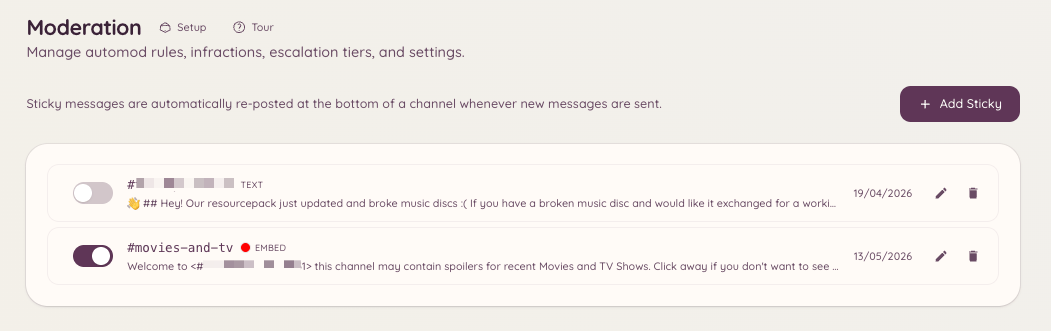
A sticky message is a message that the bot re-posts to the bottom of a channel whenever it would otherwise scroll out of view. As members send messages and push the sticky down, the bot deletes the old copy and posts a fresh one at the bottom. This is useful for pinning rules, instructions, or important announcements in active channels where a standard Discord pin would easily go unnoticed.
Moderation Sticky Messages

Creating a sticky

Running this command opens a modal where you enter the message content. The message supports standard Discord markdown formatting. After submission, the bot immediately posts the sticky in the target channel. Only one sticky can be active per channel.

Managing stickies via the dashboard

Navigate to in the dashboard. This page lists all active sticky messages across your server. From here you can:
  • View the content of each sticky
  • Edit a sticky’s message content
  • Delete a sticky, which removes the posted message from the channel

Editing and deleting via command

Removes the active sticky from the specified channel (defaults to the current channel). The bot deletes the most recently posted sticky message.

Behaviour notes

The bot re-posts the sticky whenever a new message is sent in the channel. There is a small debounce delay to avoid flooding the channel when messages are sent in quick succession. During high traffic, the sticky may temporarily fall several messages above the bottom before being reposted. Sticky messages are posted under the bot’s own account. If a moderator manually deletes the sticky message, the bot will re-post it the next time a new message is sent in the channel.

Required permissions