
This plugin transcribes Discord voice messages (the record-a-voice-message feature in the Discord client). It does not transcribe audio from voice channels.
Setup
Navigate to in the dashboard, or use the slash command:How transcription works
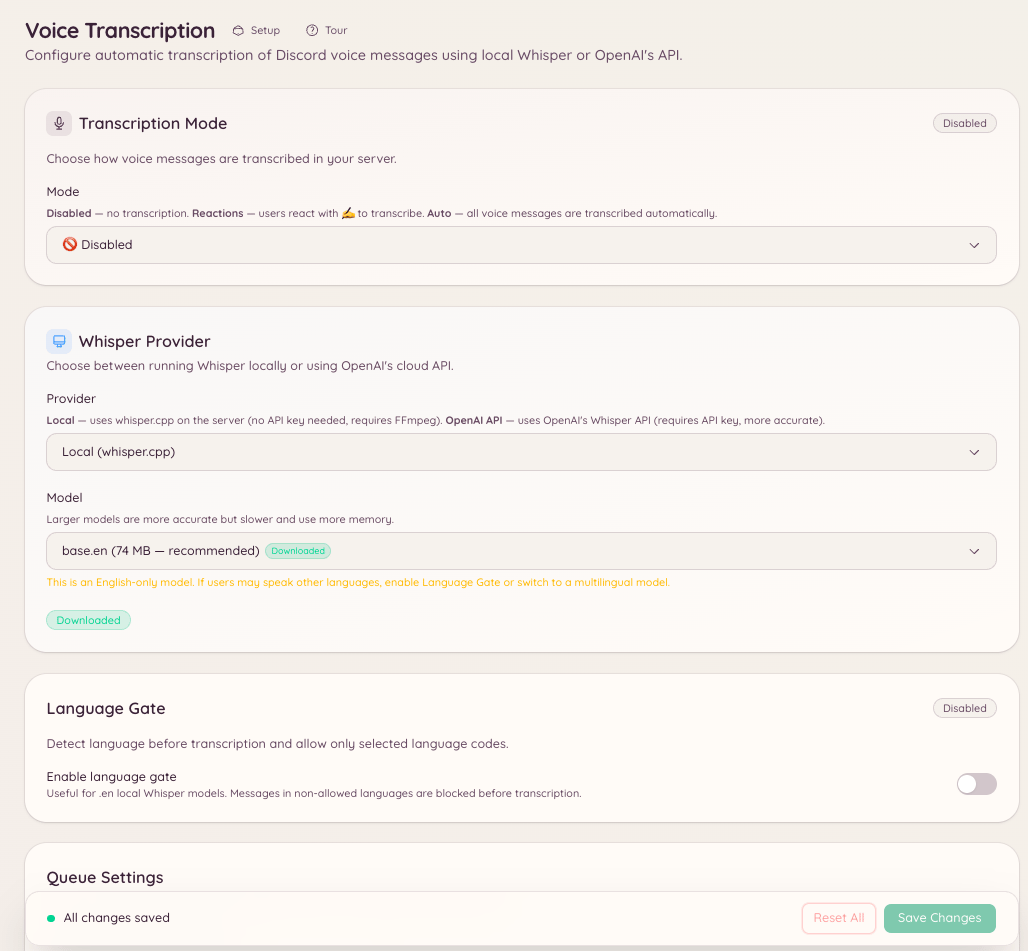
When a voice message is sent in a configured channel, the bot downloads the audio, sends it to the Whisper speech-to-text model, and posts the transcript as a reply to the voice message. The transcript appears a few seconds after the voice message is sent, depending on the audio length. Transcriptions are clearly labelled as bot-generated and may contain errors, particularly for unusual accents, technical terms, or poor audio quality.Dashboard configuration
Navigate to in the dashboard to:- Add or remove channels from the transcription list
- View transcription history for a channel
- Toggle transcription on or off without removing configuration