
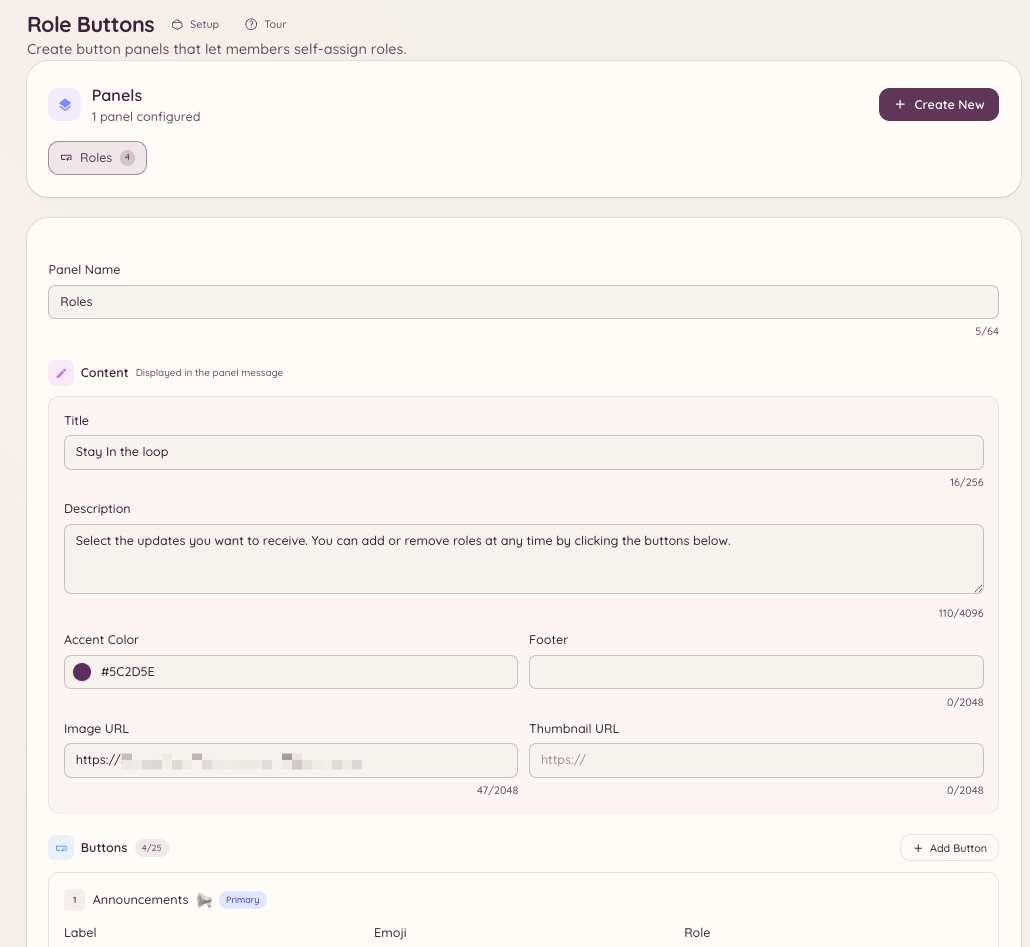
Role buttons are persistent panels posted in a channel containing buttons that members click to assign or remove roles from themselves. Unlike Discord’s built-in role selection feature, Heimdall’s panels support toggle modes, role grouping, and custom button labels and styles.
Community Role Buttons

Creating a panel

Running this command opens a configuration flow where you define the panel. You can also create and manage panels entirely through the dashboard at .

Panel settings

Assignment modes

Adding buttons

Each button on a panel corresponds to one Discord role. For each button you configure: A single panel supports up to 25 buttons (5 rows of 5).

Posting the panel

Posts the panel to the specified channel (or the current channel if none is specified). The panel is persistent - it remains in the channel indefinitely and continues working after the bot restarts. If you need to update the panel’s content after posting, edit it in in the dashboard. The posted message updates automatically.

Managing panels

The dashboard at shows all panels with their posted location, button count, and last updated time.

Required permissions