
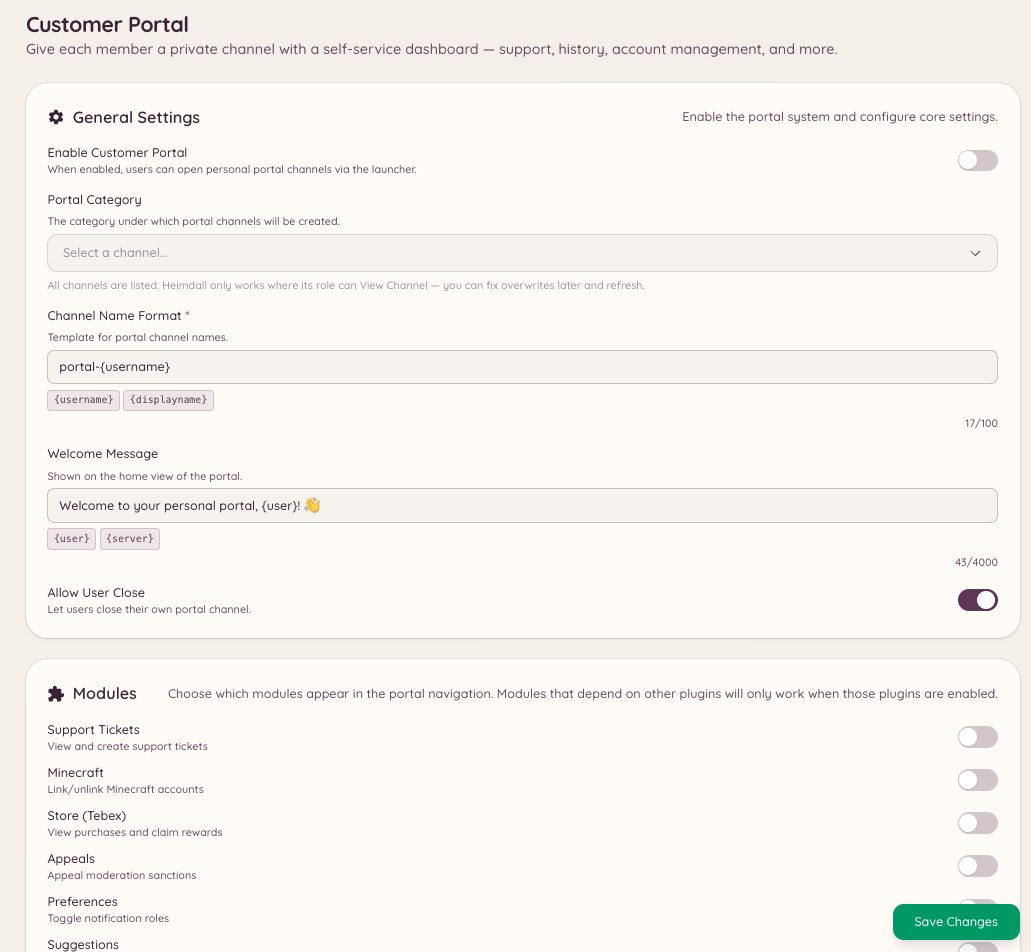
The customer portal is a member-facing dashboard delivered entirely through Discord. When a member opens the portal, it displays a summary of everything Heimdall knows about them: their linked accounts (Minecraft, PlanetSide 2, forum accounts), any active tickets or modmail threads, open reminders, and their economy balance. The portal acts as a single entry point for members to manage their relationship with the bot and server services without needing to navigate multiple commands.
Integrations Customer Portal

Opening the portal

Opens the customer portal panel for the member who ran the command. The panel is displayed as an interactive message visible only to that member. The portal refreshes its data when opened.

What the portal shows

The portal’s content depends on which plugins are active on your server: Members can take actions directly from the portal - close a ticket, view a reminder, or see which accounts are linked - without running individual commands.

Configuring the portal

Navigate to in the dashboard to:
  • Enable or disable which sections appear
  • Set which integrations the portal includes
  • Configure which channels the portal command is available in
Closes an active portal panel. Portals automatically time out after a period of inactivity.
Re-fetches all data and updates the portal panel with current information. Useful if a member’s status changed while the portal was open.

Required permissions