
How it works for members
When a member is banned, they can visit the Heimdall appeals site URL and submit an appeal form. The form is accessible without being logged in to Discord, so it works even if the member was banned. The member fills in their Discord username, the server they were banned from, and the fields defined in your appeal form, then submits. The submitted appeal appears in for staff review.Setting up the appeals system
Navigate to in the dashboard.Configure the appeal form
Open to define the questions your appeal form includes. Each question has:- Label - the question text shown to the submitter
- Type - short text, long text, or multiple choice
- Required - whether the submitter must answer before submitting
Your appeal link
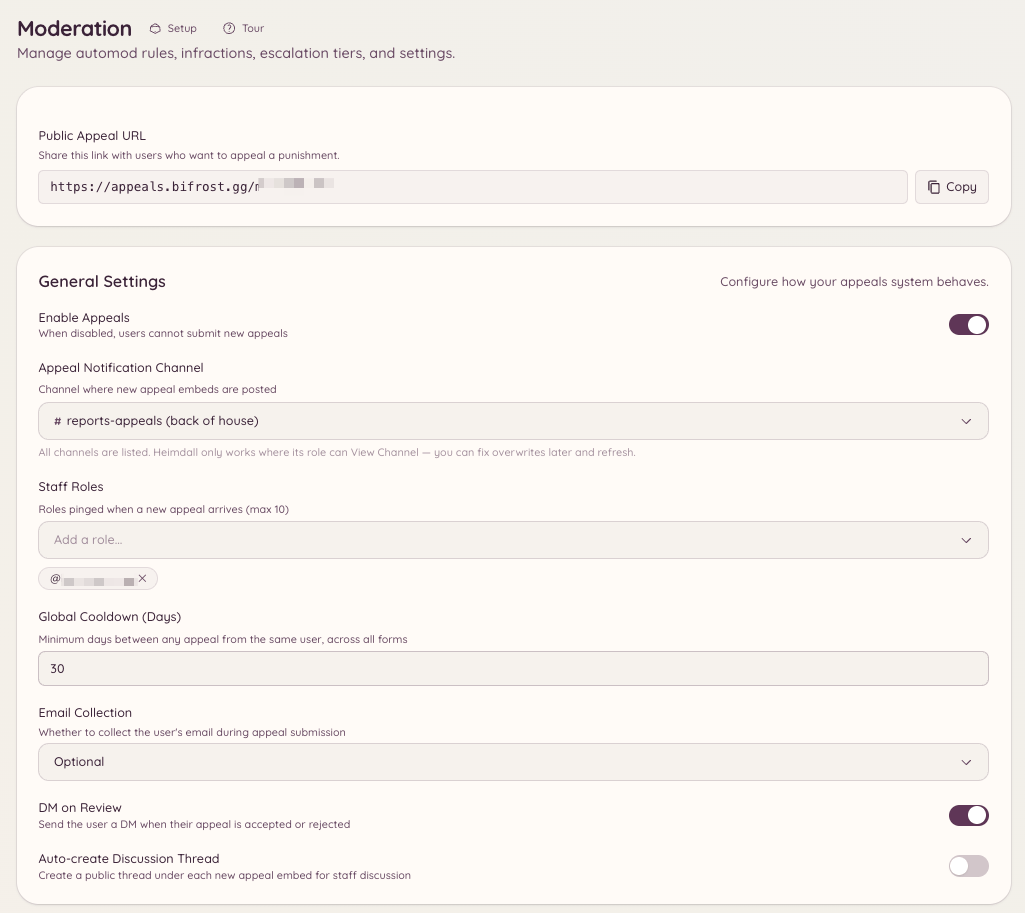
There is nothing to set up. Every server gets its own link on the appeals site, shown as Public Appeal URL on with a copy button. A white-label bot uses its own appeals address once one is set up. How a banned member gets the link by DM depends on how they were banned:- With Heimdall (
/banor the dashboard): the link is in the punishment DM, which is only sent while DM on Infraction is on in . Mutes include it too. - Outside Heimdall (Discord itself, or another bot): while appeals are enabled, Heimdall sends a separate ban notification DM with the link.
- Automatically (leave-bans, escalation, automod): no DM is sent, so share the link yourself if you want them to appeal.
Reviewing appeals in the dashboard
Navigate to . Each appeal shows:- The submitter’s stated Discord username and ID
- Submission date
- All form field responses
- Approve - unban the member and optionally send them a DM with instructions to rejoin
- Deny - record the decision and optionally send a denial reason
- Mark under review - flag the appeal as pending while staff discuss it