
Accessing analytics
- Ticket analytics:
- Modmail analytics:
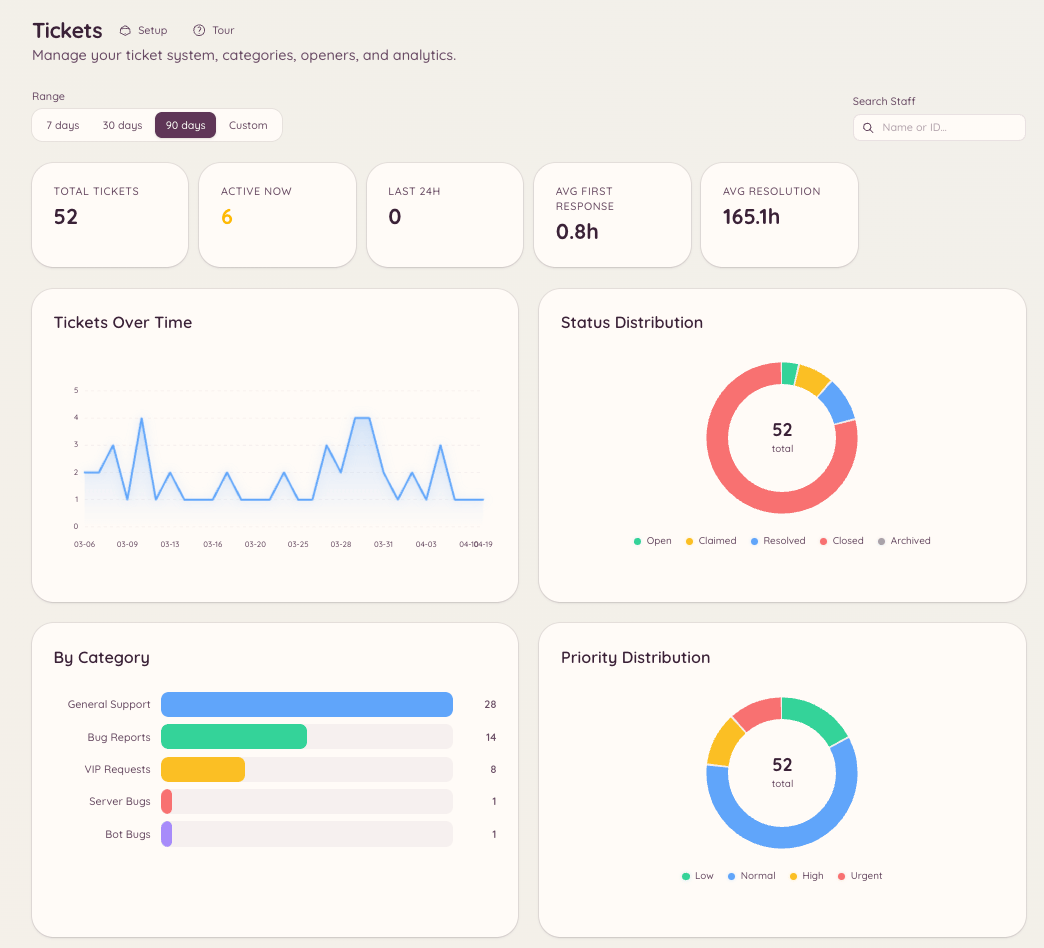
Metrics tracked
Volume
Response times
SLA targets are configured in or as a duration (e.g. 2 hours for first response).
Staff performance
The staff performance table shows, per staff member:- Number of tickets claimed or assigned
- Average first response time
- Average handle time
- Number of tickets closed
- Customer review score (if reviews are enabled)
Customer satisfaction reviews
When a ticket or modmail thread is closed, the member can be invited to leave a satisfaction rating. The rating appears as a 1–5 star score alongside an optional comment.Enabling reviews
Navigate to or and turn on reviews (Enable Ticket Reviews for tickets, Enable Reviews for modmail). You can also set:- Review Channel - where submitted reviews are posted
- Require Moderation - hold reviews for staff approval before they are posted, in the Moderation Channel you pick
- Button emoji - the emoji on the review button
- Review fields - the questions to rate. Leave the list empty for a single overall star rating