
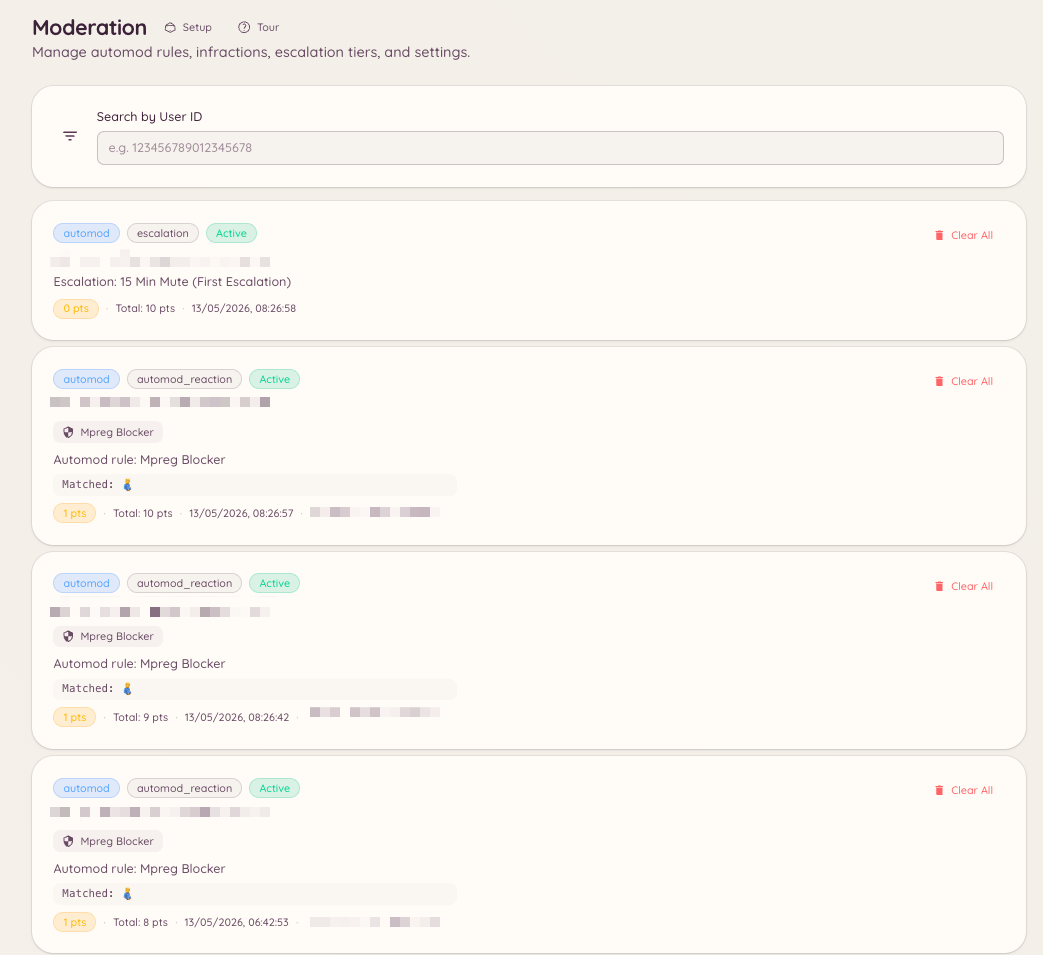
Every moderation action in Heimdall - whether issued by a staff member or triggered by an automod rule - creates an infraction record. The infraction history gives staff a complete picture of any member’s moderation record, including the current active point total.
Moderation Infraction History

Viewing a member’s infractions

Via slash command

Displays the member’s cases directly in Discord, on Discord and on any linked Minecraft account, with their active point total. It is the same panel as /case lookup.

Via the dashboard

Every infraction is also a case. Navigate to in the dashboard. Search for a member and open them to see every case they have, on Discord and on any linked Minecraft account, with their current active point total.

Managing infractions

On a member’s page, staff with moderation.enforcement.manage_infractions can Clear active infractions, which sets the member’s active points back to zero. From a single case you can add notes and evidence, change the reason, and pardon a warning so its points stop counting. See Cases.

Setting points directly

Sets a member’s active infraction point total to a specific value, bypassing the individual infraction record. This is useful for manually adjusting a member’s position within the escalation system without creating additional infraction records.

Dashboard filtering

The case list supports filtering by platform, action type, status, and the staff member who issued the action.

Required permissions