
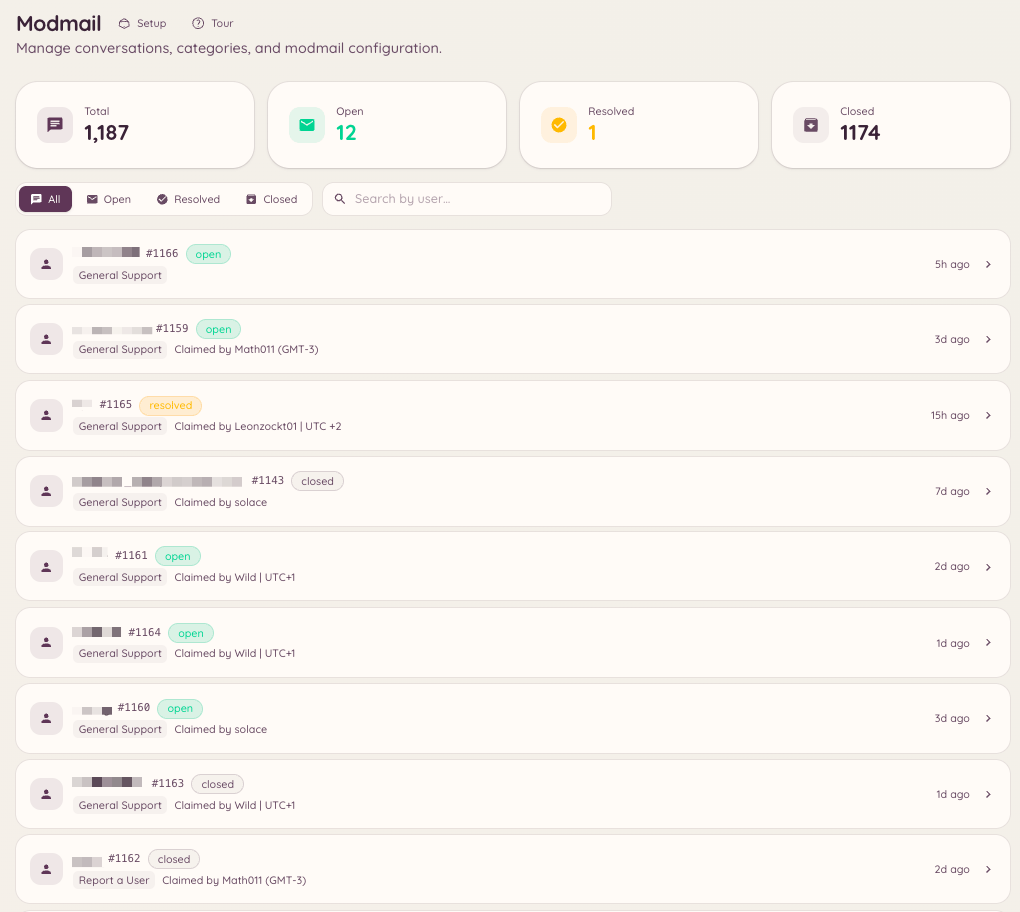
Modmail gives members a private line to your staff team through Discord direct messages. When a member DMs the bot, a thread is created in a designated forum channel on your server. Staff respond in that thread and the bot relays their messages back to the member via DM. The member and staff never see each other’s servers in the process - from the member’s perspective they are having a private conversation with the bot.
Modmail Overview

How it works for members

A member sends a direct message to the Heimdall bot. The bot confirms that a support thread has been opened and notifies the member that staff will respond. All subsequent messages from the member are forwarded to the staff thread. When staff reply in the thread, their messages appear in the member’s DM conversation as if sent by the bot. Members cannot tell which staff member is handling their case unless staff choose to identify themselves in their messages.

Setting up

Basic configuration

Navigate to in the dashboard. The key settings are:

Categories

Modmail categories let you route different types of DMs to different forum channels or staff teams. Navigate to and create categories for different support areas. When a member opens a modmail, they are asked to choose a category if more than one is configured.

Auto-responses

Auto-responses are pre-written messages the bot sends automatically based on keywords in the member’s opening message. Navigate to to configure these. Auto-responses do not close the thread - they provide initial information while staff take over.

Slash commands

Staff notes

Staff notes are messages posted in the modmail thread that are visible only to staff. They are formatted differently from regular replies and are never forwarded to the member. Use them for internal coordination - tagging team members, adding context, or flagging issues for review.

Openers

Openers are buttons or panels posted in a channel that members click to start a modmail thread without DMing the bot directly. This is useful for servers where members may not know to DM Heimdall, or where you want to place a “Contact Staff” button in a specific channel. Navigate to and click New Opener. Configure the button label, the category it opens, and any opening message sent to the member. Once configured, click Post to have the bot place the opener panel in the channel of your choice.

Quotas

Staff quotas set limits on how many concurrent open threads a staff member can handle. When a staff member reaches their quota, new threads in categories assigned to them are either queued or routed to other available staff. Configure quotas in .

Required permissions