
Setting up
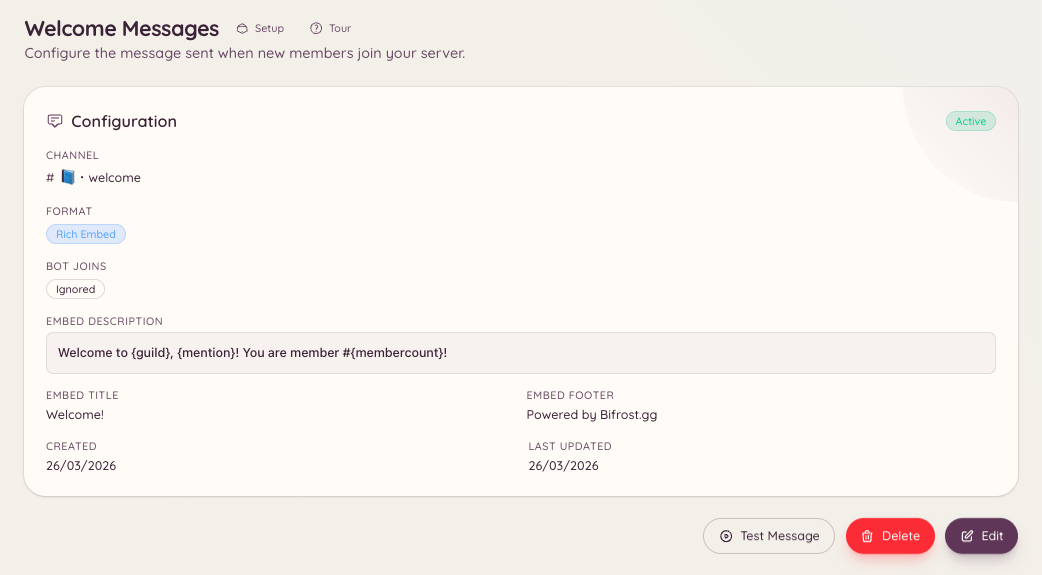
/welcome setup opens a configuration modal where you define the welcome channel and compose your message. Alternatively, configure everything through the dashboard at .
Documentation Index
Fetch the complete documentation index at: /docs/llms.txt
Use this file to discover all available pages before exploring further.
Sending a formatted message to new members when they join your server.

/welcome setup
/welcome setup opens a configuration modal where you define the welcome channel and compose your message. Alternatively, configure everything through the dashboard at .
| Setting | Description |
|---|---|
| Channel | The channel where welcome messages are posted |
| Message content | Plain text or embed content for the welcome message |
| Embed toggle | Send the message as a rich embed with colour and fields |
| Embed colour | The left-side colour of the embed |
| Variable | Replaced with |
|---|---|
{user} | A mention of the new member (@Username) |
{user.name} | The member’s display name (no mention) |
{user.id} | The member’s Discord user ID |
{server} | Your server’s name |
{server.count} | The total number of members after the join |
{server.id} | Your server’s ID |
Welcome to {server}, {user}! You are member number {server.count}.
Please read <#channel-id> before getting started.
/welcome test
/welcome view
/welcome remove
| Action | Permission key |
|---|---|
| Viewing welcome configuration | welcome.view_config |
| Editing welcome configuration | welcome.manage_config |
